Phaer
Open the conceptA concept website for a machine vision distributor: the chain from light to frame grabber with its brands, and a calculator that suggests lens and components.
Phaer is not my client and did not commission this website. I made the concept on my own initiative from the text and photos on their public website, so every fact on it is theirs.
- Page weight
- 3.22 MB → 0.20 MB
- Requests on load
- 25 → 10
- Fits a phone
- No → Yes
- Main content on a phone
- 6.1 s → 1.5 s
Measured in Chrome on 14 November 2026: phone, throttled 4G and CPU, no cache, median of three runs. Current website first, concept second.
- Company
- Phaer
- Service
- Concept website and camera set-up calculator
Phaer, in Gentbrugge near Ghent, is the official Benelux distributor of machine vision components from fifteen manufacturers, from cameras and lenses to lighting, cables and frame grabbers, and offers a free lighting study in its own lab. Its customers rarely want just a camera; they ask which camera, lens and light together give an image that shows what they need to inspect.
What I found
I went through phaer.be (phaer.eu leads there) on 14 November 2026, on a 1440 px screen and on a phone.
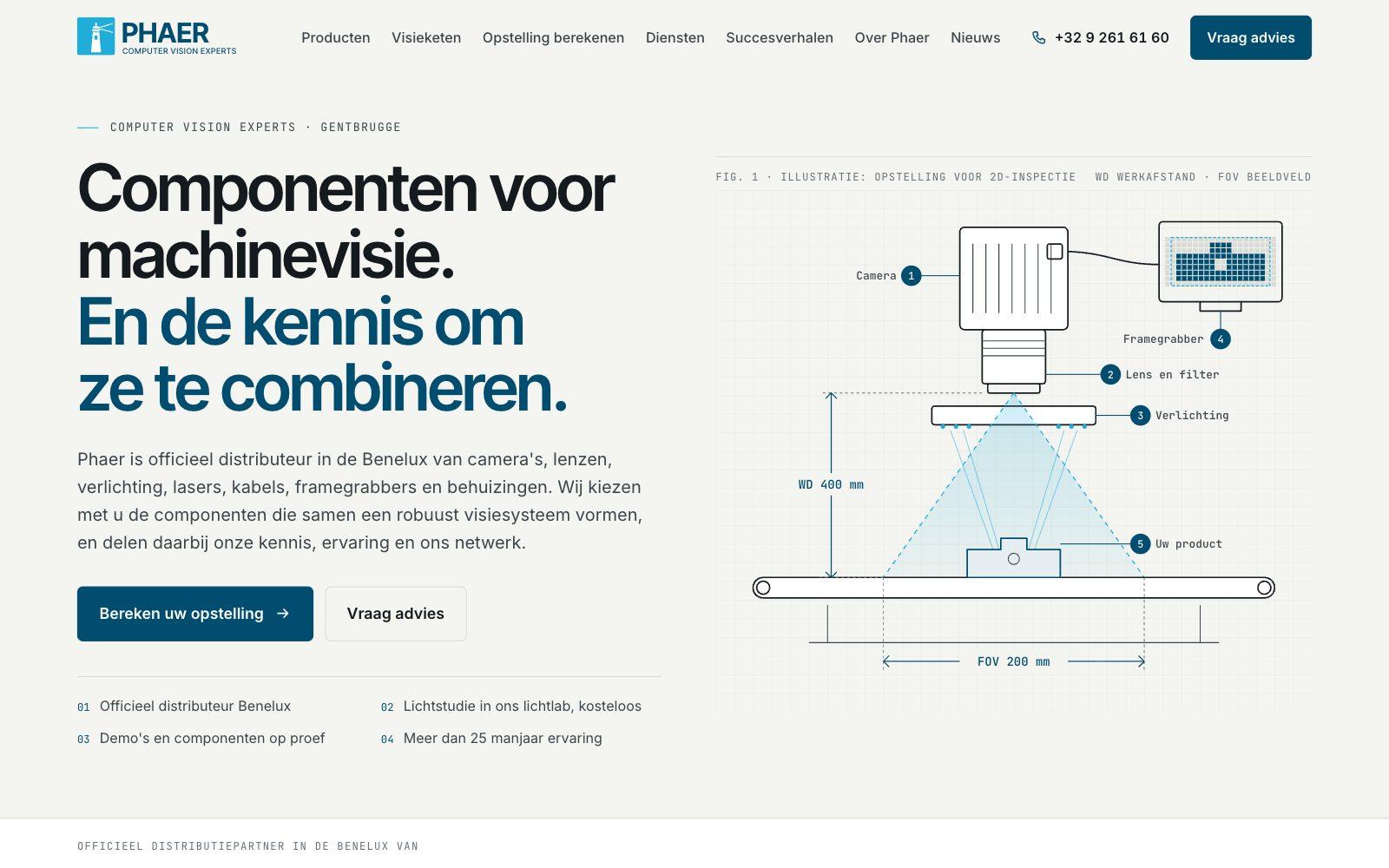
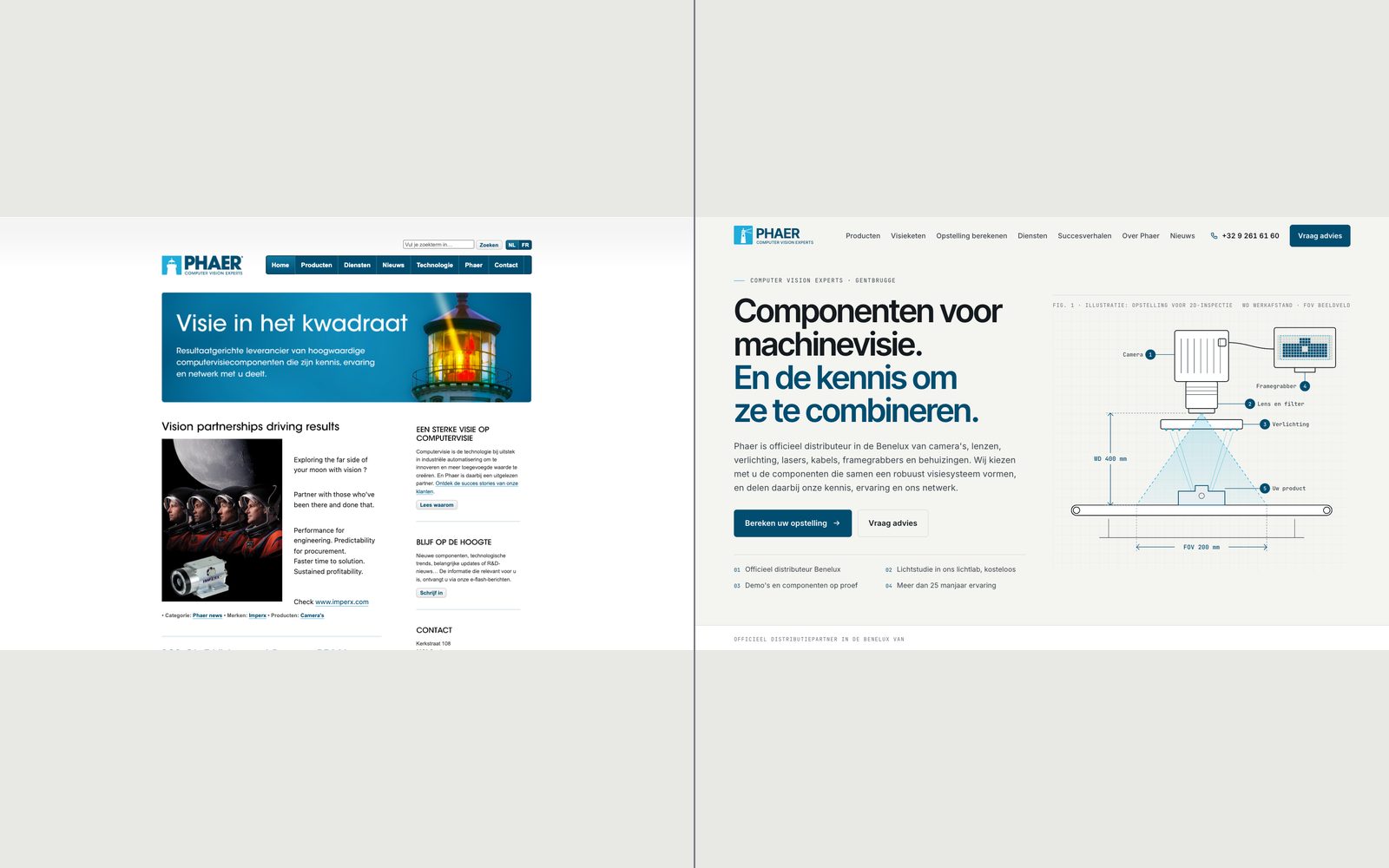
- There is no mobile viewport tag, so a phone shows the full 980 px desktop layout shrunk to the screen. The 13 px body text ends up about 5 px tall.
- The sentence saying what Phaer does is part of the header image, with no alt text.
- The first block under the header is an English advert by Imperx, “Vision partnerships driving results”.
- Their strongest argument, the free lighting study, sits on a subpage under Diensten, not on the homepage.
- To ask about a whole set-up, a customer has a general form with name, email and message.
Decisions
A sentence, not an advert
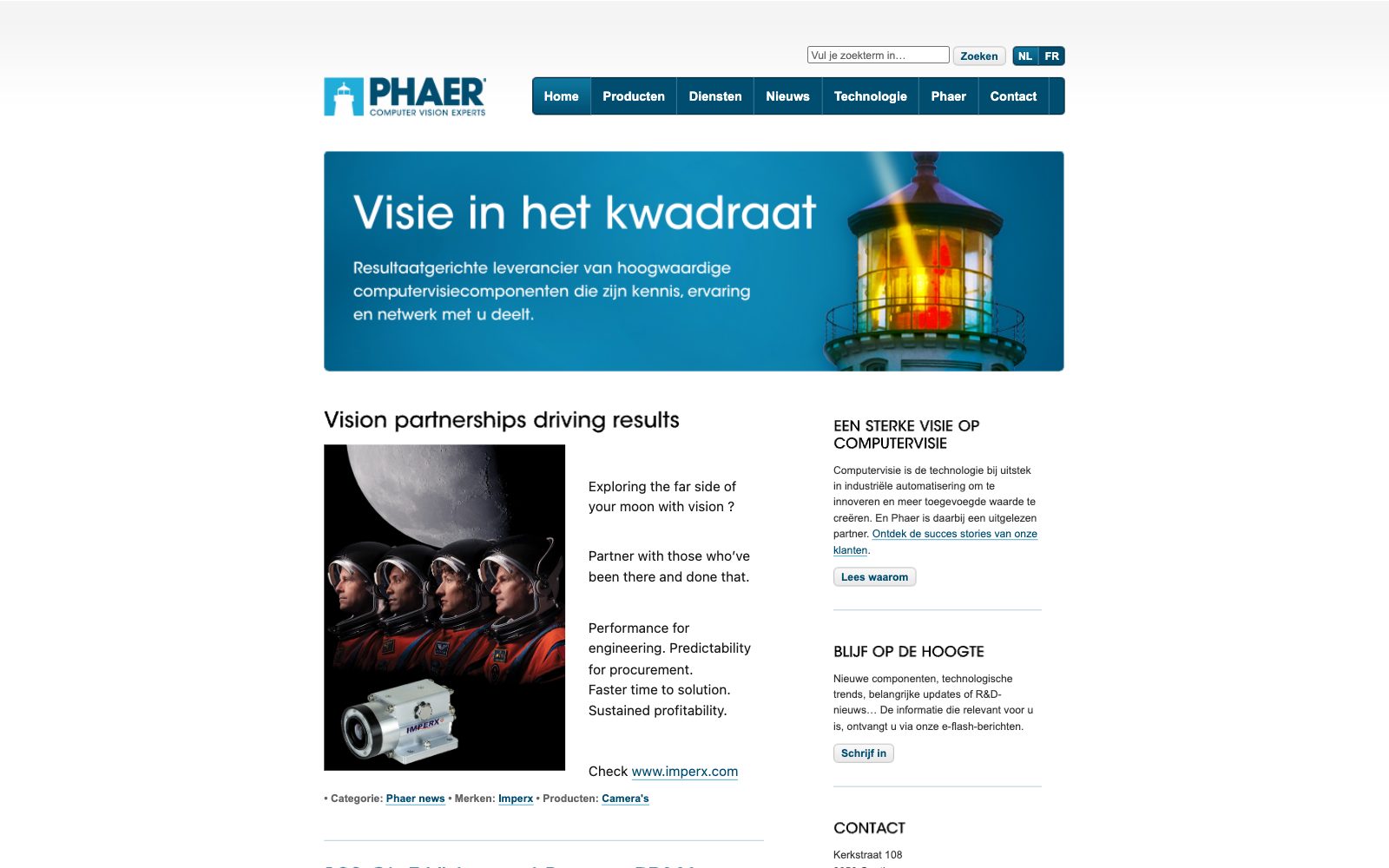
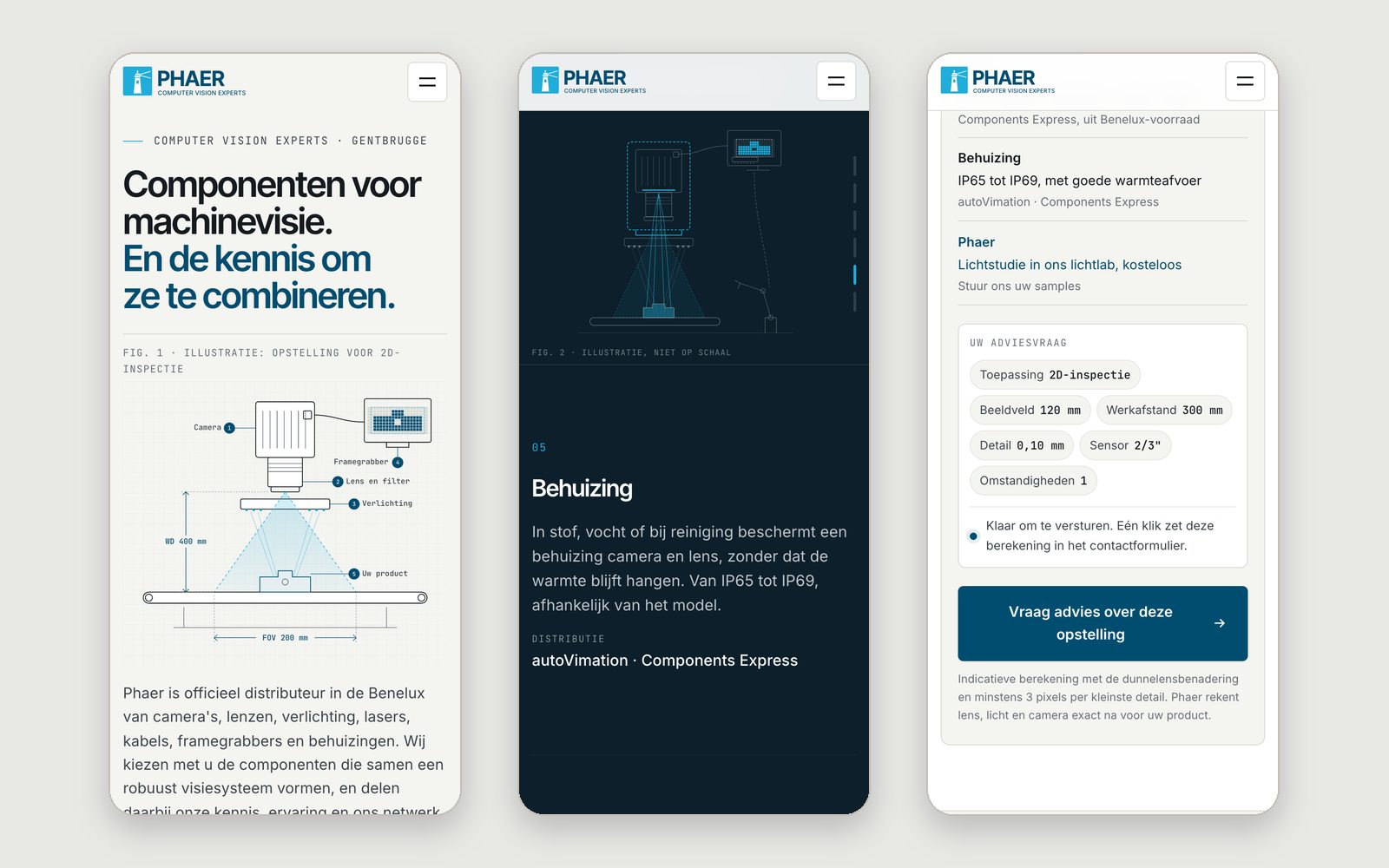
The first screen says in real text what used to sit inside the header image: components for machine vision, and the knowledge to combine them, with four facts from their site underneath. The concept is in Dutch, like their homepage. On the right, a technical drawing of a 2D inspection set-up draws itself once, the product appears in pixels on the monitor, then rests, shifting slightly with the pointer. It is labelled as an illustration.
The chain from light to decision
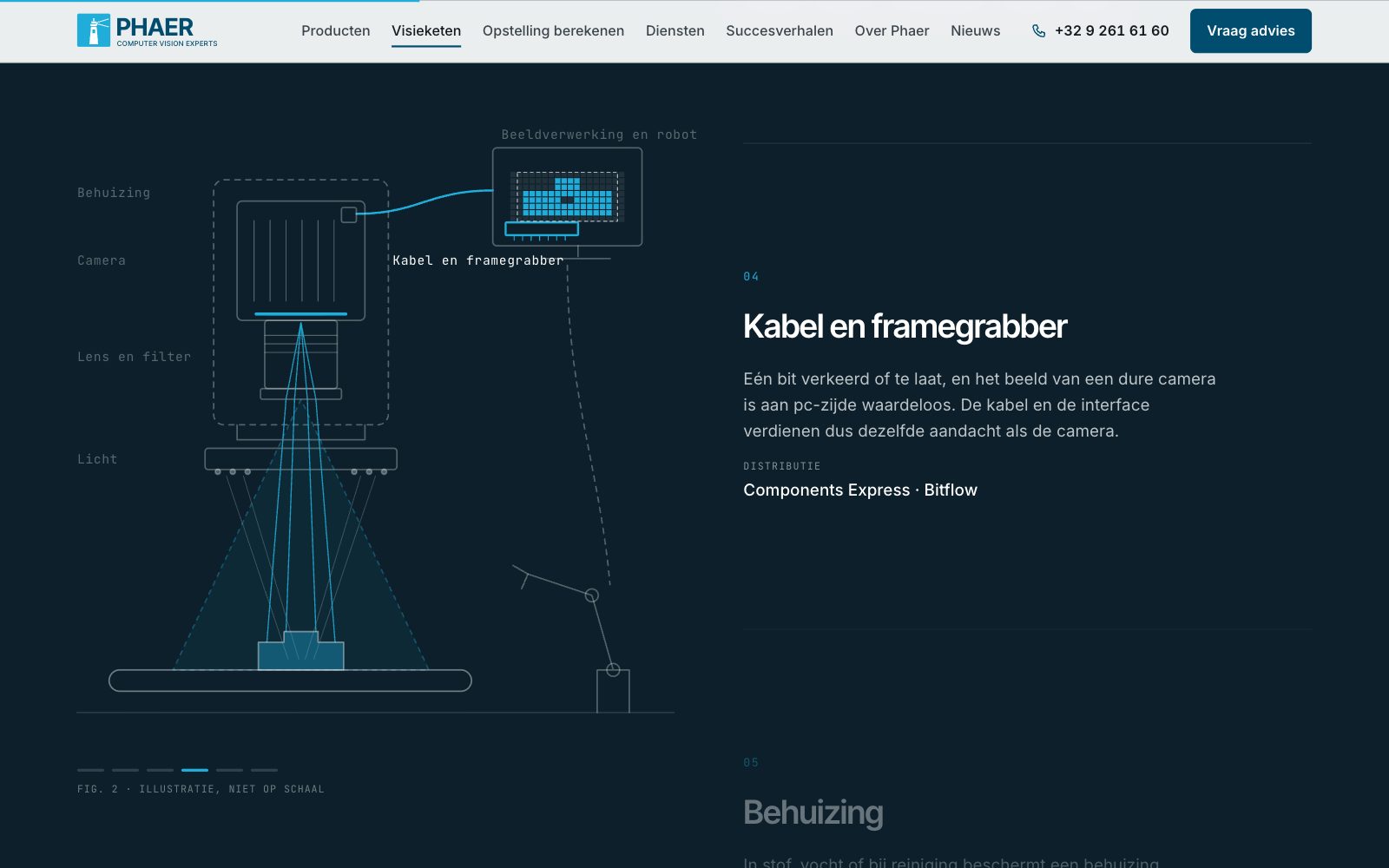
Phaer's website says a chain is only as strong as its weakest link, so the centre of the page is six links, from light to decision, each with the brands they distribute. As you scroll, the image forms on the drawing: the LEDs light the product, reflected light passes through the lens to the sensor, the signal runs down the cable to the monitor and the result goes to the robot. It shows why the choice starts with the light.
A calculator, not a blank message
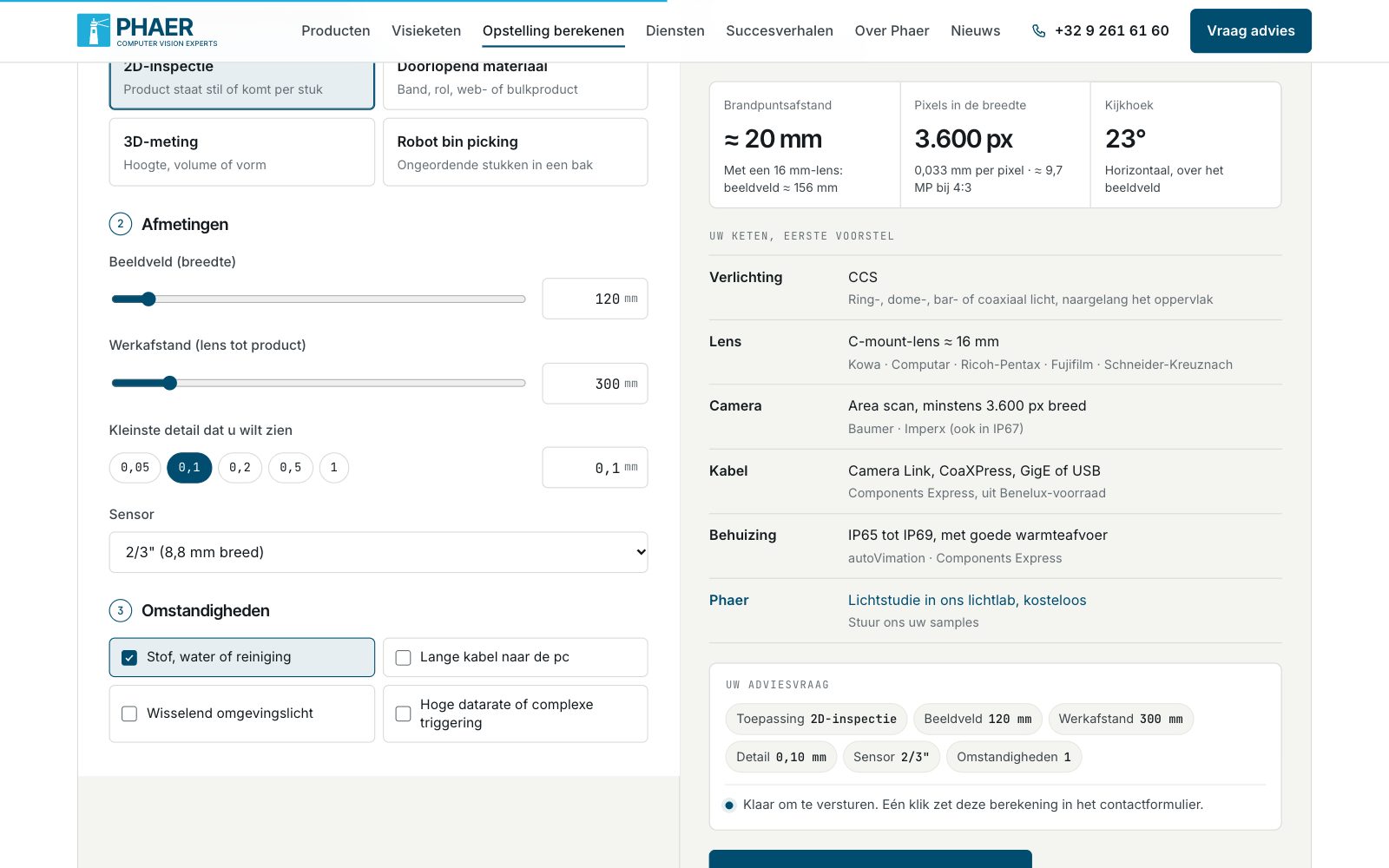
A visitor picks what the system does, enters field of view, working distance and smallest detail, and at once gets an approximate focal length, pixels across and viewing angle (line rate for line scan), plus a first proposal for the chain with brands. A summary builds up as they choose, and one click puts the whole calculation into the contact form for info@phaer.be. A note says the result is indicative and that Phaer will check it.
Colour from the logo, drawings instead of a catalogue
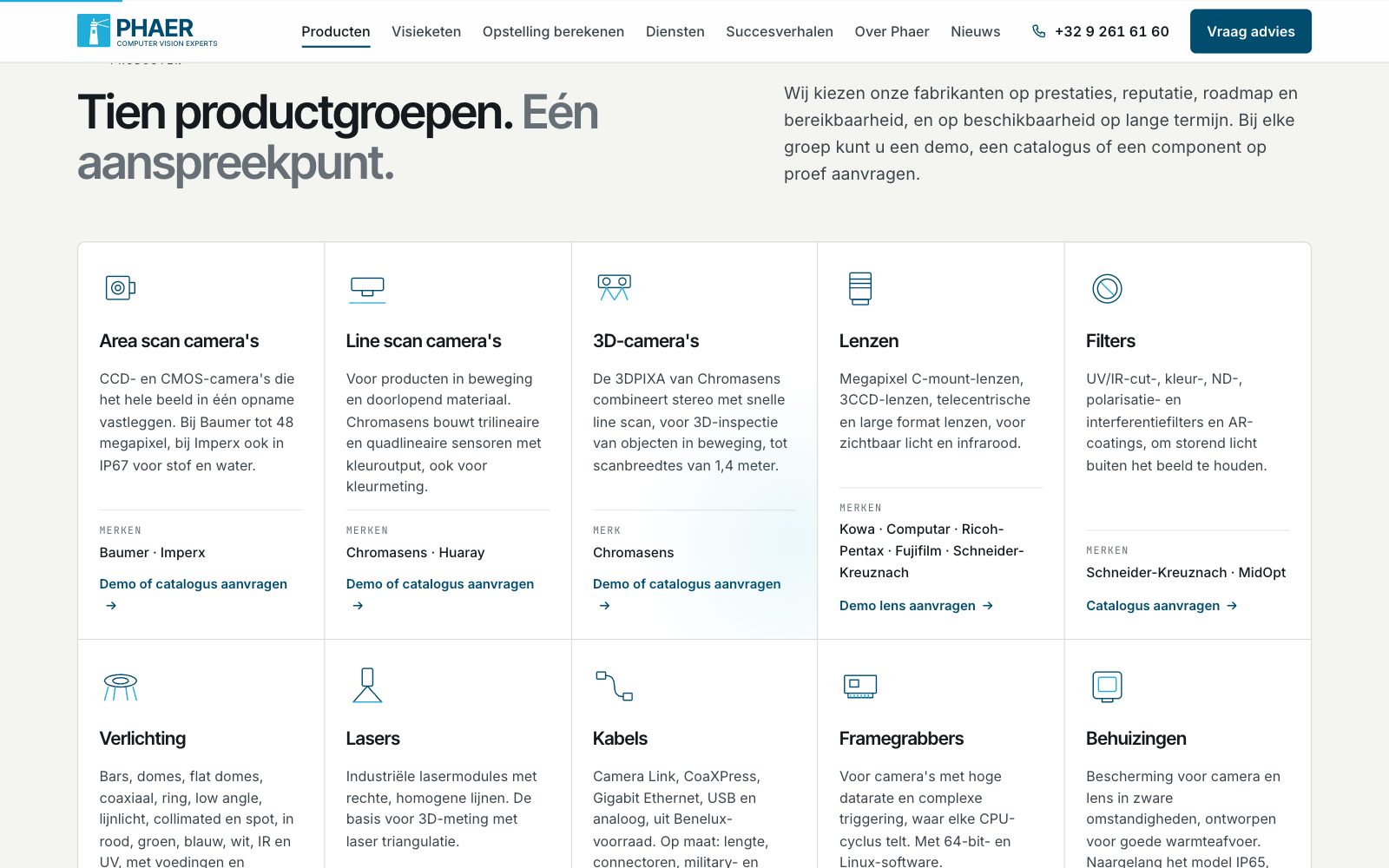
The dark blue of the logo's name is the main colour; the lighter blue of the lighthouse mark appears only where there is light, in the beam, the LEDs and the rays. Their site had few photographs, so technical drawings carry the rest. The ten product groups sit in a grid, each with its brands and a link for a demo or catalogue.
On a phone
On a phone the chain drawing stays at the top while the links change underneath, and the calculator's results follow straight after the fields.
How it's built
Static HTML, CSS and JavaScript, with no framework. The first drawing uses CSS transitions on SVG lines; GSAP and ScrollTrigger handle only the pointer shift and the chain story, which follows the scroll. The calculator runs in the browser and sends the enquiry through mailto. Its formulas are labelled as approximate: focal length from the thin lens approximation, f ≈ WD · s / (FOV + s), with s the sensor width, and at least three pixels per detail. Hidden starting states are set only once JavaScript loads, so without it everything is visible, and reduced motion turns the animation off. Photographs are optimised JPEGs with set dimensions. The page is noindex, and the JSON-LD holds only details from their website.
What I would do next
With Phaer I would first check the formulas, the sensors in the calculator and whether the order of the links matches how they advise customers. A real project would add a French version, pages per brand and a form that sends without the visitor's email program.