Komar
Open the conceptA concept site for a Zagreb family workshop: a catalogue brush as a technical drawing, a finder that leads to the code, enquiries built from the catalogue.
Komar is not my client and did not commission this website. I made the concept on my own initiative from the text and photos on their public website, so every fact on it is theirs.
- Page weight
- 1.75 MB → 0.40 MB
- Main content on a phone
- 6.8 s → 1.7 s
Measured in Chrome on 14 November 2026: phone, throttled 4G and CPU, no cache, median of three runs. Current website first, concept second.
- Company
- Komar
- Service
- Concept website, coded catalogue and brush finder
Komar is a family-run workshop in Zagreb that has made paintbrushes, brushes, rollers and brooms since 1963. All production is in Croatia, and they also make special-purpose products to order. Their buyers are mostly shops and workshops asking short questions: which code, which width, how many to a pack.
What I found
I reviewed cetke-komar.hr on 14 November 2026, on a 1440 px desktop and on a phone.
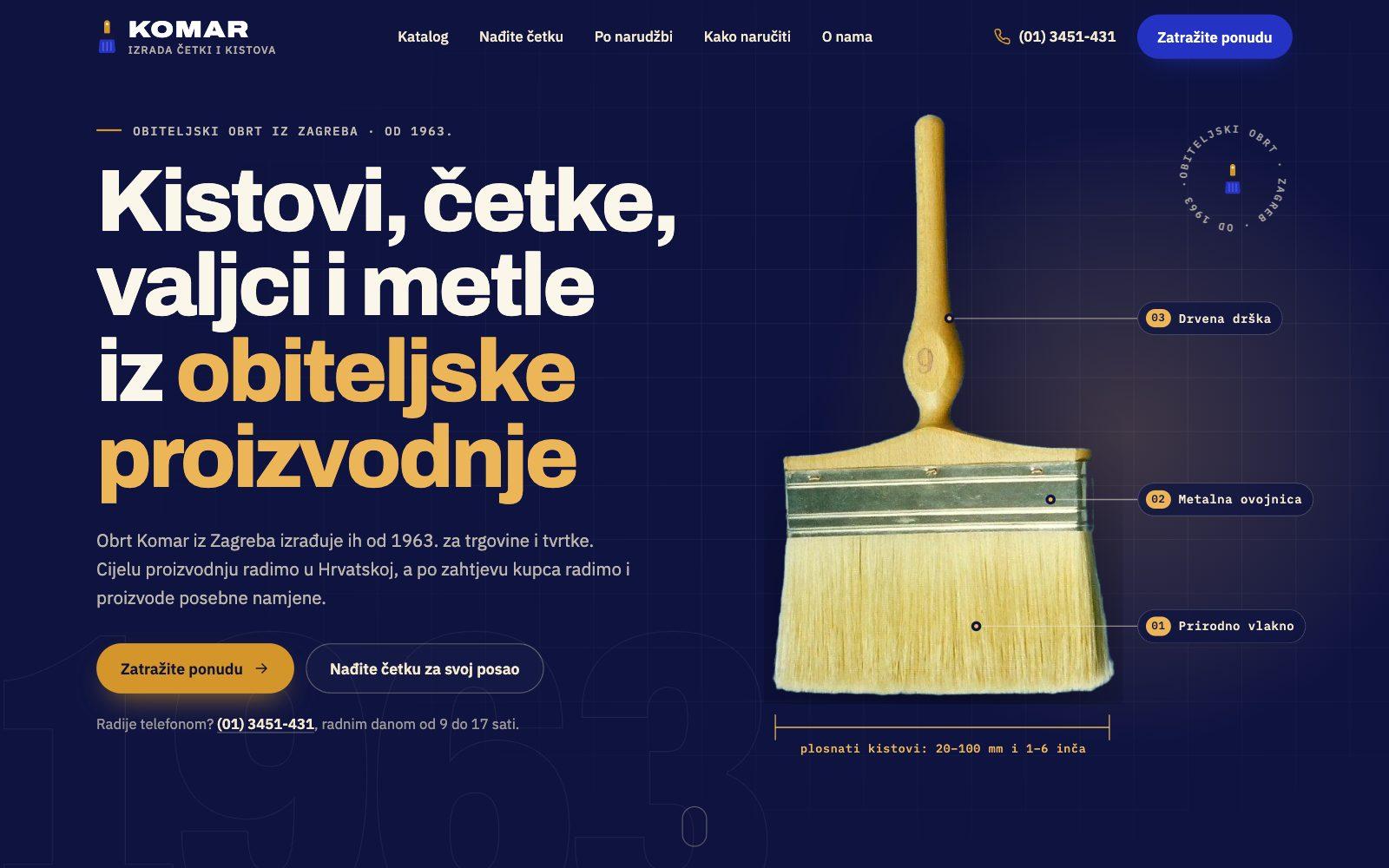
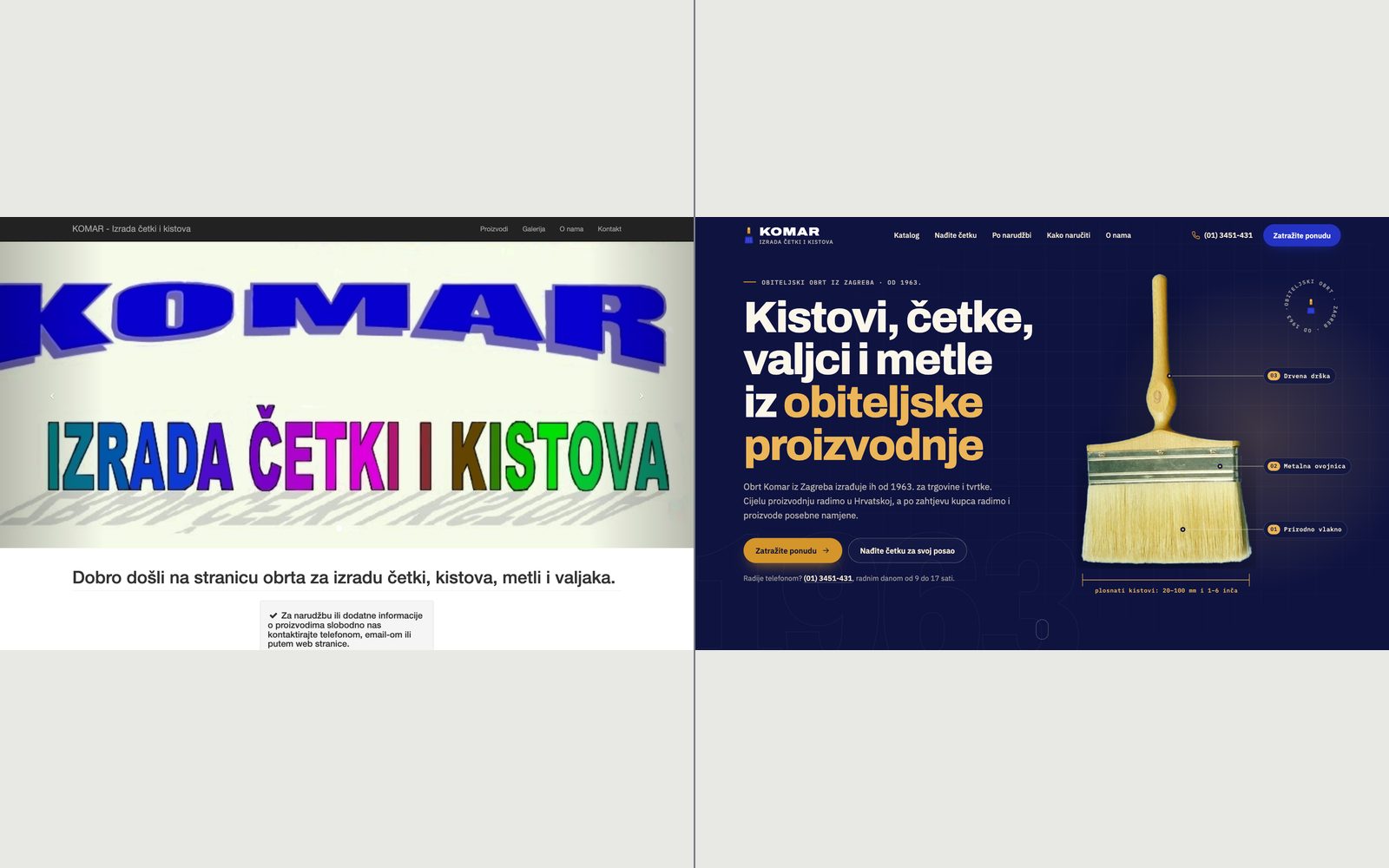
- The desktop first screen is a three-image slider, and the first image is the lettering KOMAR, Izrada četki i kistova. On a phone the image is cropped, so only part of the lettering shows.
- 1963, the family ownership and Croatian production are only on the About page, and the EPOXY brushes that resist chemicals and solvents sit below the first screen.
- The catalogue is thorough: 43 tables with size, code and pack quantity, across five tabs. But a code cannot be carried into an enquiry; the form is on the Contact page and asks for name, phone, email and message.
- On a phone the number is not a link, so it has to be copied by hand.
Decisions
The brush as a technical drawing
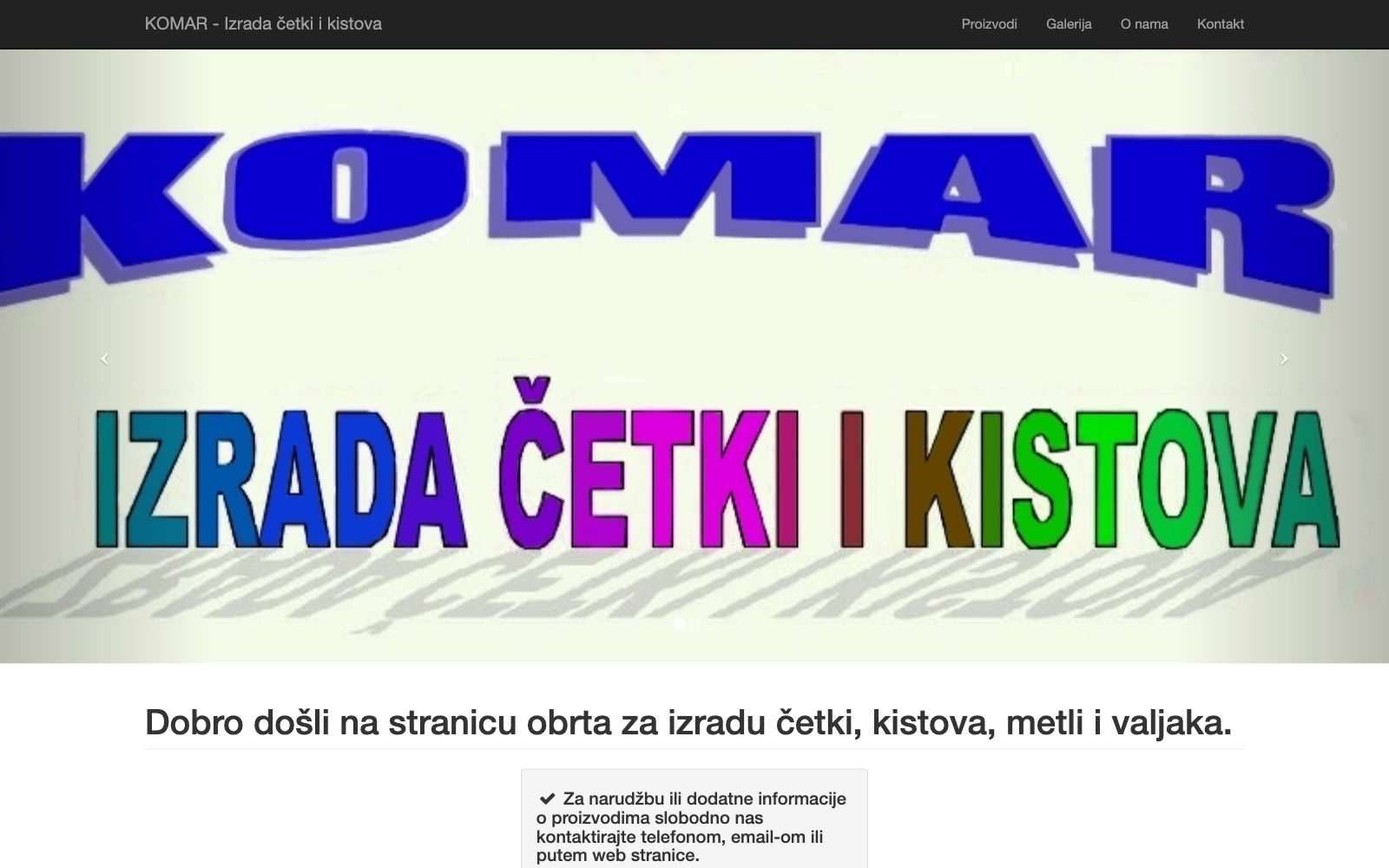
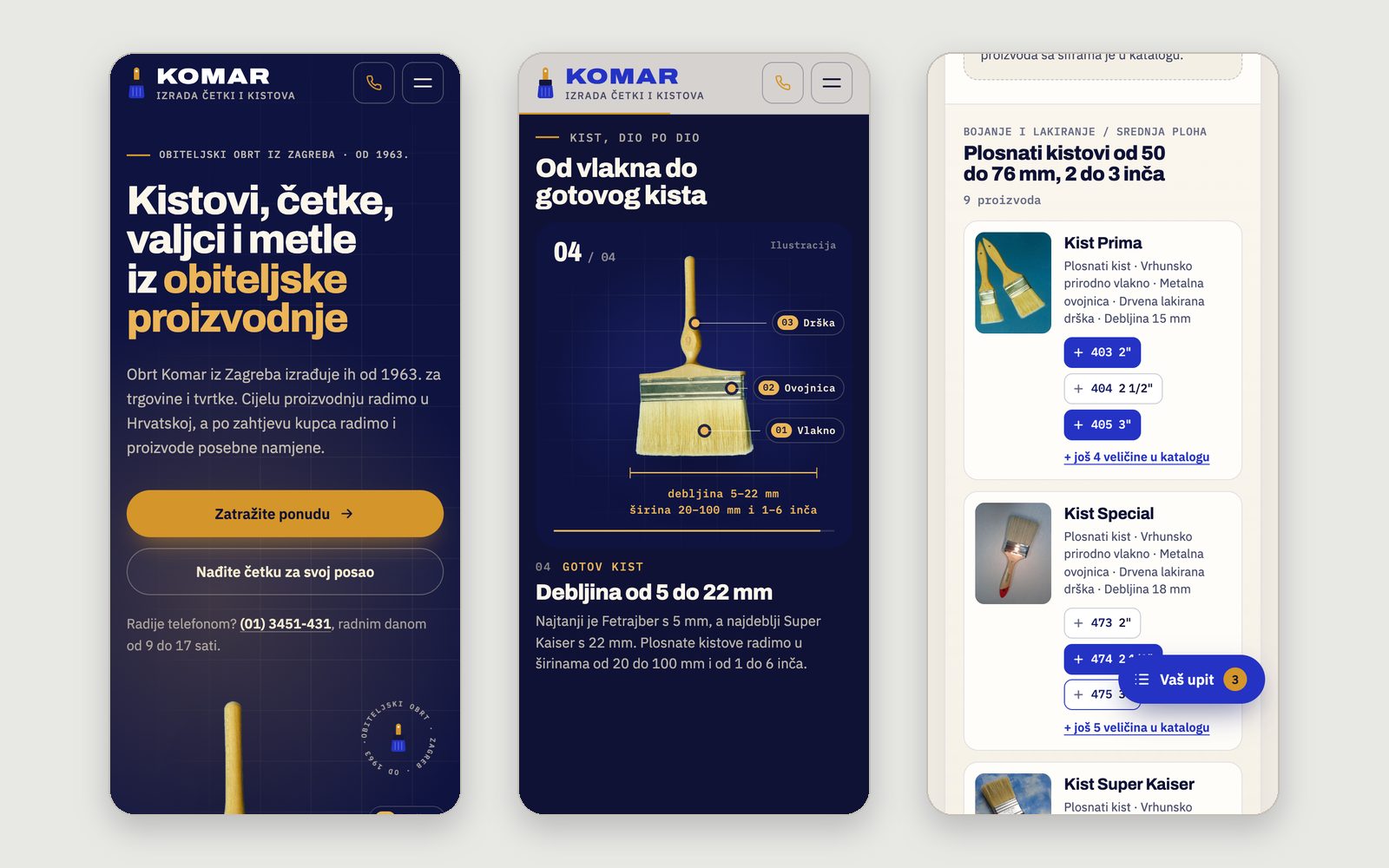
The first screen now says what was spread across subpages: what they make, since when and where. On the right is a wide flat brush from their own photograph, with three labels drawn over it (bristle, ferrule, handle) and a dimension line with the catalogue widths, 20 to 100 mm and 1 to 6 inches. It draws once, then stays still. The phone number sits in the header and under the buttons, always as a link.
A brush, part by part
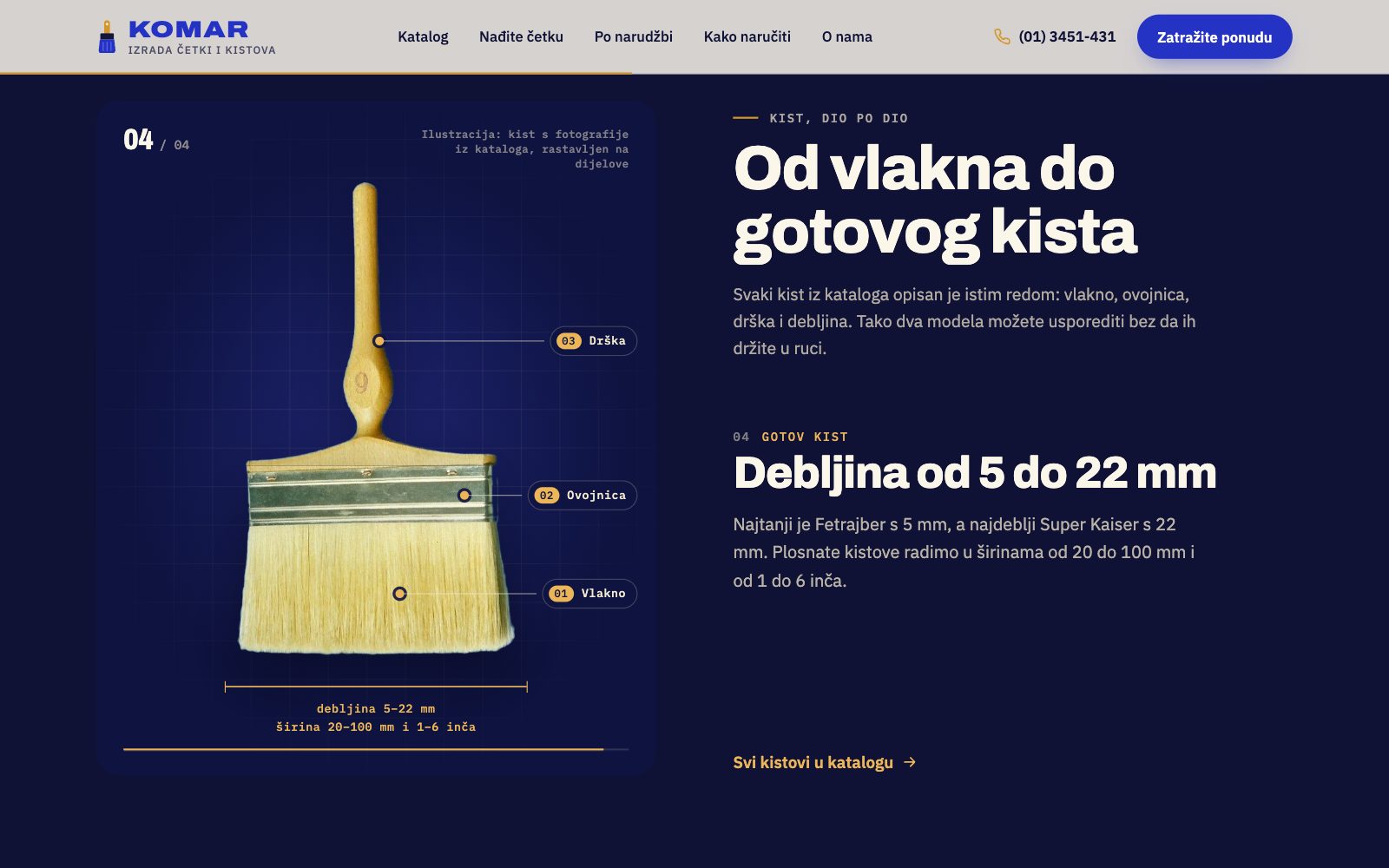
Their catalogue describes every brush in the same order: bristle, ferrule, handle, thickness. I turned that order into a scroll story: the same photograph split into parts, assembling step by step, each part labelled as it arrives, with catalogue facts beside it. It is marked as an illustration, because it is not footage from their workshop.
From the job to the code
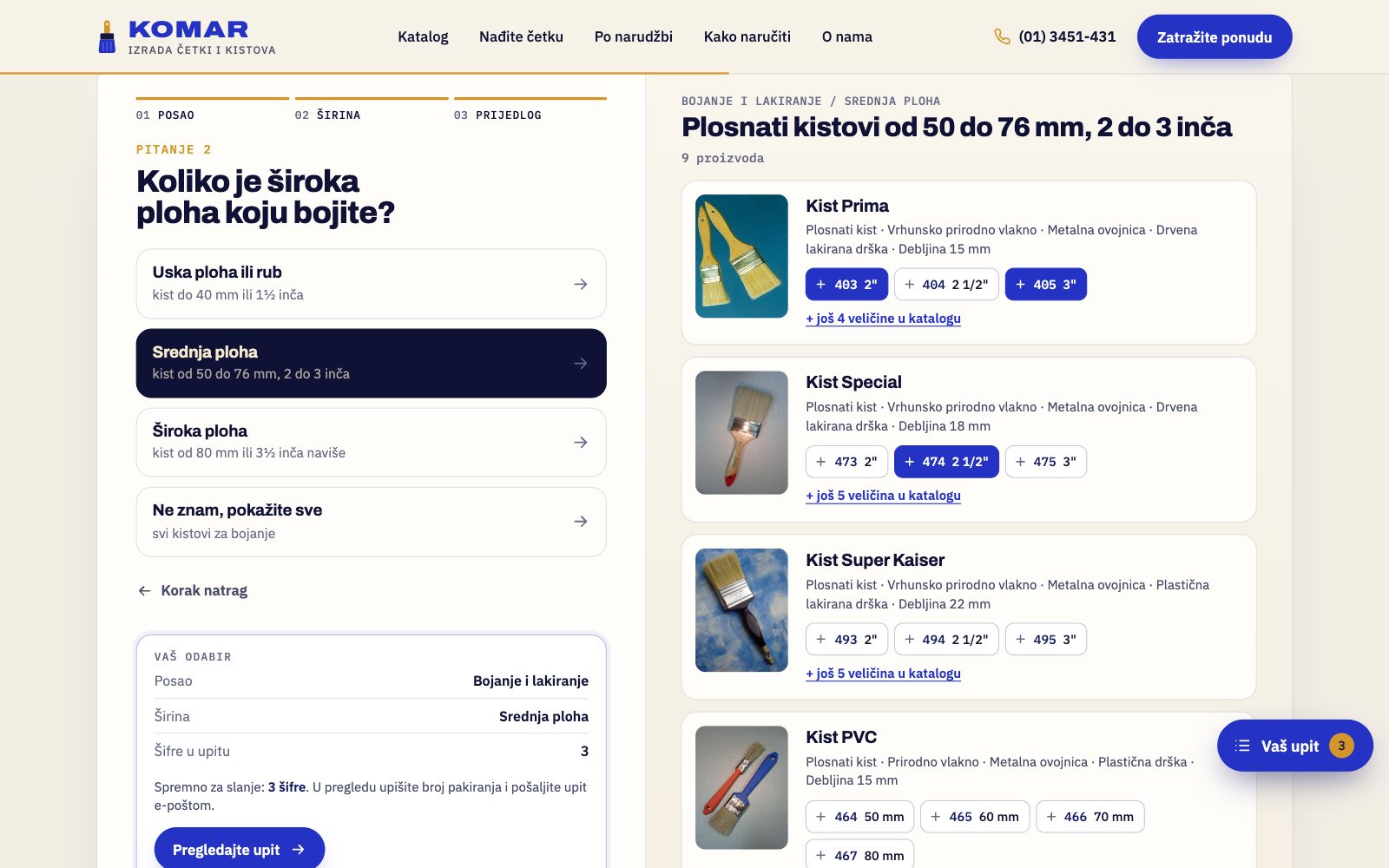
The brush finder asks two questions at most: the job, then the surface or width. The answer is products from their catalogue, each code a button that adds it to the enquiry, while a summary follows the choices and says when the enquiry is ready to send. If nothing fits, the same choices become a made-to-order enquiry, and paintbrush results mention the EPOXY brushes.
A catalogue that fills the enquiry
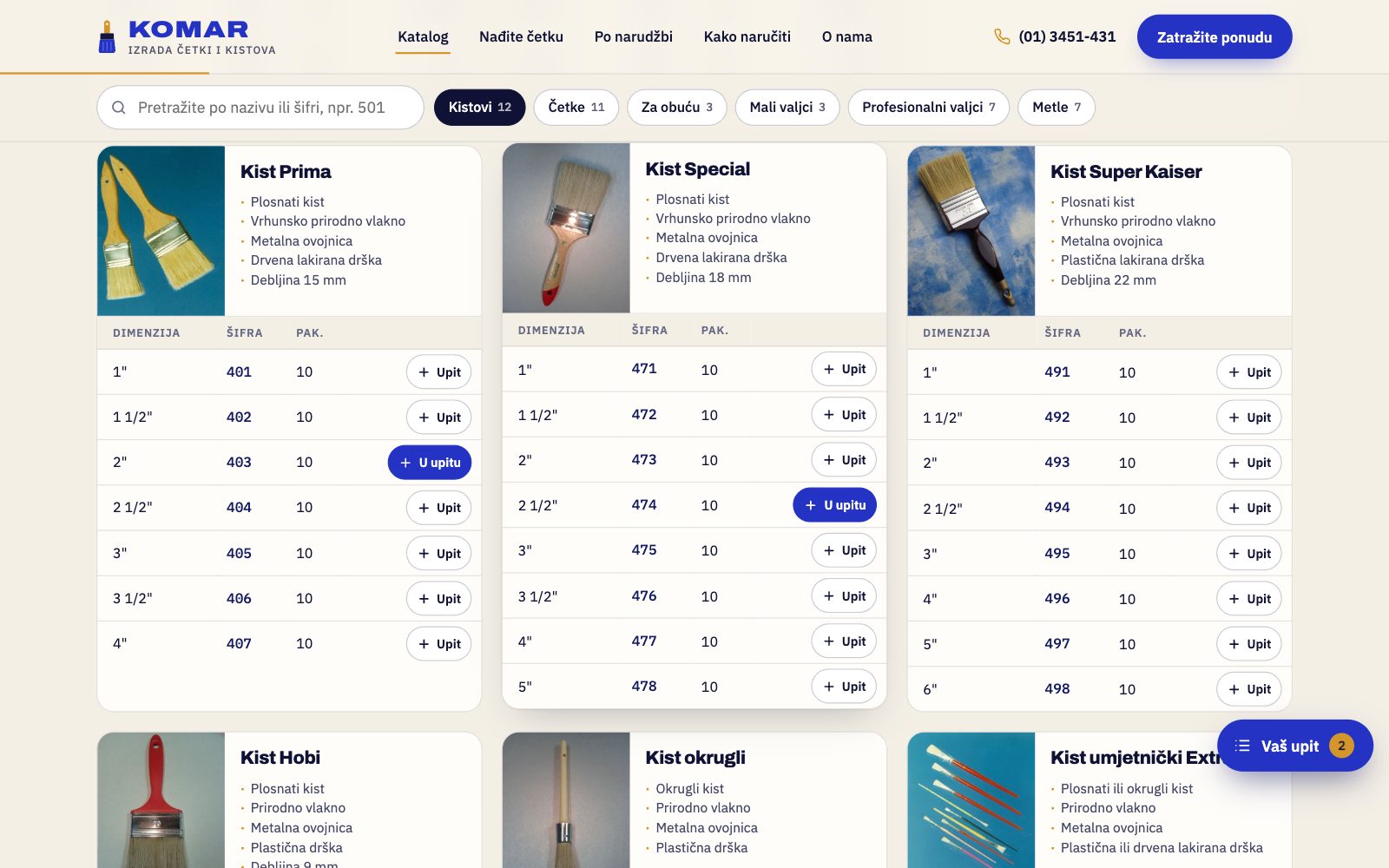
I kept all 43 products and added an Upit (enquire) button to every table row, with search by name or code. The enquiry collects codes and pack counts, and one button opens a message to tkomar78@gmail.com or copies it all into the form.
Blue from the lettering, bristle for the accent
The main colour is the blue of their KOMAR lettering, deepened for backgrounds; the only accent is the ochre of natural bristle and wood. Codes and dimensions are set in a monospace, because buyers here read numbers.
Mobile
On a phone the brush assembles above the step text, finder results follow the questions, and a Vaš upit (your enquiry) button appears once a code is added.
How it's built
Static HTML, CSS and JavaScript, with no framework. A small Python script builds the pages from the catalogue transcribed into JSON, so tables, finder and figures share one source. GSAP and ScrollTrigger reveal the photograph, draw the SVG lines and run the brush story; Lenis smooths the scrolling. The finder has no server: the enquiry is kept in the browser and sent through mailto. Hidden starting states are set only once JavaScript loads, so content is visible without it, and reduced motion turns animation off. The photographs are theirs, optimised and with fixed dimensions. The site is noindex, and the JSON-LD holds the address, phone and email from their website and opening hours from their Google profile.
What I would do next
With Komar I would check the catalogue first: a few codes appear under two products on the current site and some sizes are missing. Opening hours and delivery need confirming too. A real project would add photographs from the workshop and a form that sends the enquiry without the buyer's email program.